 Better Playlists
A sidebar for all your playlists
Switch between playlists without reloading or losing your place.
- Grouped into Quick, Created and Saved
- Drag and drop to reorder
- Create, edit and share right from the sidebar
An always-there playlist sidebar, real batch move, copy and remove, one-click cleanup of deleted and duplicate videos, and search across every playlist. All of it in YouTube's own look.
Moving a video means the three-dots menu, save to the new list, then go back and remove it from the old one. Now do that fifty times.
Hundreds of videos, endless scrolling, and the page gets slower the further you go. Deleted and private videos pile up in between.
You know you saved it somewhere. YouTube has no way to search inside your playlists, let alone across all of them.
Better Playlists takes over YouTube's playlist pages and adds the tools that were missing. Switch back to YouTube's native page anytime from the menu.
Switch between playlists without reloading or losing your place.
Select once, act once. Hours of clicking become a few seconds.
Clear out what shouldn't be there anymore.
Find a video by title or channel, instantly.
No more infinite scroll that slows the tab to a crawl.
Built on YouTube's own design tokens, fonts and corners, light and dark.
If you've ever selected files on your desktop, you already know how to use it.
We don't run servers that see your playlists, and we don't want to. Read the privacy policy
Everything happens locally. Caches and search indexes live in your browser's own storage.
It uses the YouTube session you're already signed in with. No password, API key or Google permission prompt.
No analytics, no telemetry, no ads. We don't collect your watch history or playlist contents.
Only storage and www.youtube.com. It can't see any other site you visit.
11 themes recolor the whole site: home, watch page, search, menus, even the progress bar. Try one here and this page switches with it. In the extension, any theme can be previewed for free for 5 minutes.
Now showing: YouTube Dark
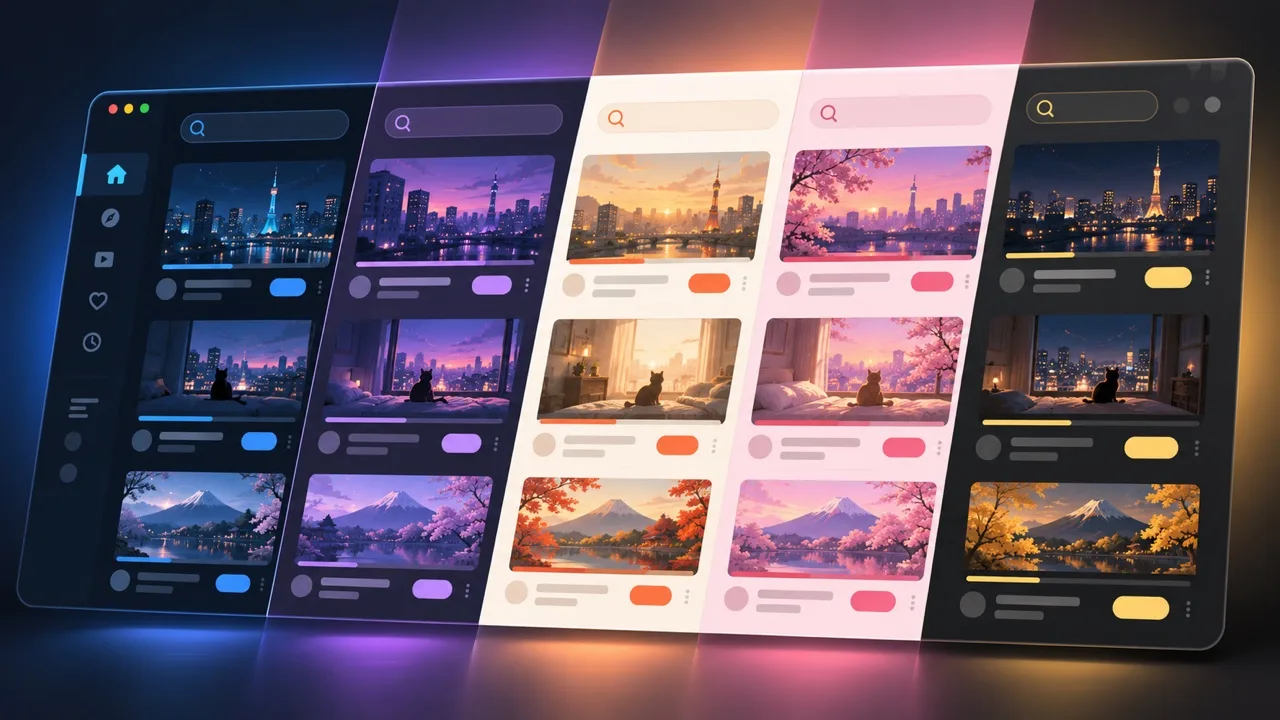
Every organizing feature, forever.
For people who like a nicer-looking YouTube.
One-time payment, no subscription · 30-day money-back guarantee · In mainland China: 爱发电 ¥39
Only when you ask it to. Move, copy, remove, reorder and edit are real changes on your YouTube account, the same ones you'd make by hand. Sorting by date or popularity happens locally and never rewrites your playlist's real order.
No. It works with the YouTube session you're already signed in with, inside the YouTube tab. There's no separate login, API key or Google permission prompt.
Yes. Every playlist page has "Switch to YouTube's view" in its ⋮ menu, and a small button brings you back. The toolbar popup can also turn Better Playlists off entirely.
Removals ask for confirmation first, and you decide in Settings when to be asked. Moves and copies only add videos to the playlists you pick.
To show the sidebar and the new playlist page, and to read and edit your playlists through YouTube itself. It doesn't run on any other site.
Yes. Everything for organizing playlists is free. The Support Pack only adds premium themes.
No. Better Sidebar and Better Playlists are separate products with separate licenses.